Macrofy
A free Windows app that turns a spare keyboard into a macro pad.
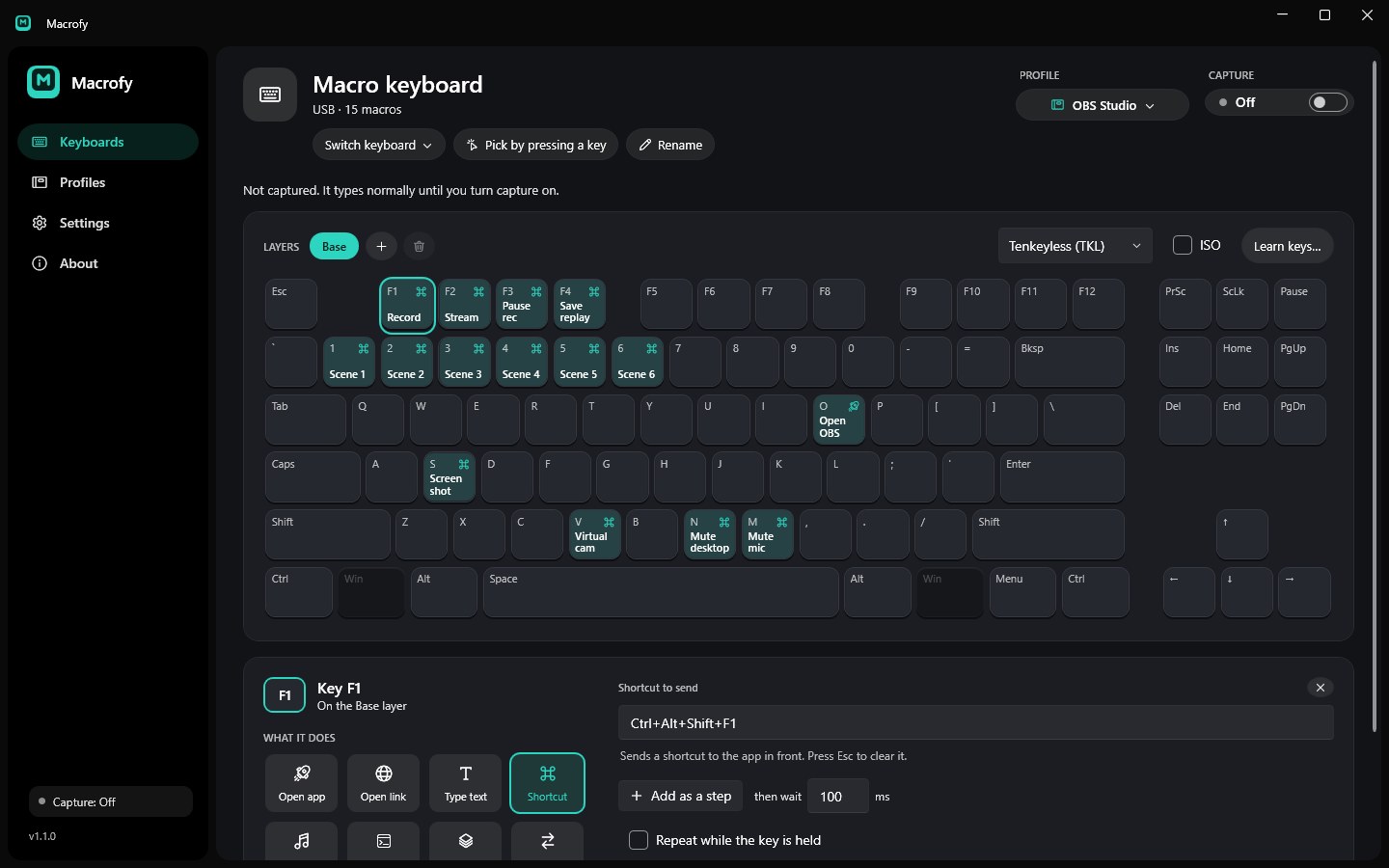
what it is
Plug in a second keyboard, tell Macrofy to capture it, and its keys stop typing and start running macros instead: open an app, type a snippet, send a shortcut, skip a song. The keyboard you actually type on keeps working like normal.
Think Stream Deck, except it's a whole keyboard, you probably already own one, and it costs nothing.
what it can do
- Eight kinds of action: open an app or file, open a link, type text, send a shortcut, control media and volume, run a command, hold a layer, or switch layers
- Multi-step macros with a wait between steps, and repeat while held
- Layers, so you can flip the whole keyboard to another set of macros like an Fn key you design yourself
- Profiles you can export and send to someone, with templates for OBS Studio, Photoshop and VS Code
- An on-screen keyboard that shows what every key does
how it tells keyboards apart
This was the hard part. Raw Input tells you which keyboard a key came from but can't block anything. A low-level keyboard hook can block keys but has no idea which device they came from, and blocking a key that way destroys the Raw Input you needed. I tried that first and it's a dead end.
So Macrofy blocks later, with a regular WH_KEYBOARD hook that runs after Raw Input has already worked out the device. The hook has to live in a DLL that Windows loads into other apps, so it ships a tiny one written in C. It only stays installed while a keyboard is captured.
what doesn't work
Staying driver-free comes with limits. Some games read the keyboard directly and still see the key, the Windows keys can't be macros, some Microsoft Store apps aren't covered, and remote desktops and virtual machines can be janky. With Macrofy running as admin, the captured key also types in normal apps before the macro runs, which is a known bug.